Crimson Desert Deluxe Edition PC (2026) MULTi14-ElAmigos, 67.15GB
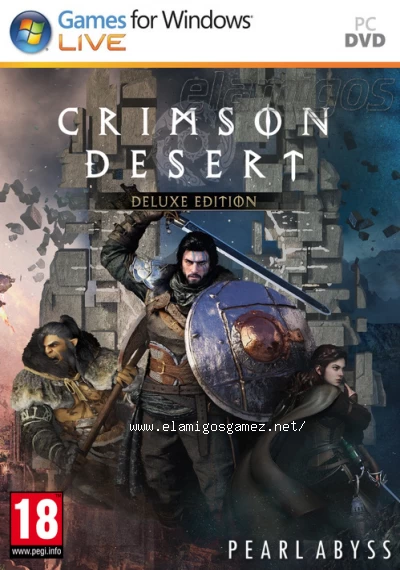
Description
On the continent of Pywel, the rival factions of Pailune maintained a tense balance. At Kliff's side stood his steadfast Greymane comrades, but a devastating ambush in the deep of night by their sworn enemies the Black Bears leaves members of the Greymanes dead or scattered across the continent.
Info Scene [Update 1.04.02]
Upload size / to download: 68764MB
RAR parts: 5000MB (interchangeable/compatible)
ISO image size: 68764MB
Number of compressions: only one
Data recovery: none
Languages: English, French, Italian, German, Spanish, Spanish (Mexico), Polish, Portuguese-Brazil, Russian, Turkish, Japanese, Korean, Simplified Chinese, Traditional Chinese
Dubbing/Audio: English, Korean, Simplified Chinese
Trailer
https://www.youtube.com/watch?v=YHhwdyWkwTQRequirements
Minimum requirements
Requires a 64-bit processor and operating system
OS: Windows 10 64-bit
Processor: Ryzen 5 2600X / i5-8500
Memory: 16 GB RAM
Graphics: RX 5500 XT / GTX 1060
DirectX: Version 12
Storage: 150 GB available space
Sound Card: Windows Compatible Audio Device
Additional Notes: SSD required.
Requires a 64-bit processor and operating system
OS: Windows 10 64-bit
Processor: Ryzen 5 2600X / i5-8500
Memory: 16 GB RAM
Graphics: RX 5500 XT / GTX 1060
DirectX: Version 12
Storage: 150 GB available space
Sound Card: Windows Compatible Audio Device
Additional Notes: SSD required.
Recommended requirements
Requires a 64-bit processor and operating system
OS: Windows 10 64-bit
Processor: Ryzen 5 5600 / i5-11600K
Memory: 16 GB RAM
Graphics: RX 6700 XT / RTX 2080
DirectX: Version 12
Storage: 150 GB available space
Sound Card: Windows Compatible Audio Device
Additional Notes: SSD required.
Requires a 64-bit processor and operating system
OS: Windows 10 64-bit
Processor: Ryzen 5 5600 / i5-11600K
Memory: 16 GB RAM
Graphics: RX 6700 XT / RTX 2080
DirectX: Version 12
Storage: 150 GB available space
Sound Card: Windows Compatible Audio Device
Additional Notes: SSD required.

Images


Observations
ElAmigos release. Updated to version 1.04.02 (24.04.2026); included DLC: Pre Order Pack, Deluxe Pack.Update 1.03 - 1.04 size was around 20-30GB.
Release is using Hypervisor bypass by DenuvOwO team. Instructions:
- install game
- educate yourself first by reading _Info.txt and DenuvOwO.nfo; CPU virtualization must be enabled in BIOS (some motherboards have it enabled as default setting)
- start "bin64/VBS.cmd" from game folder, press 1, restart computer, then on the next boot press F7 when new window will show up (driver signature OFF)
- start from desktop icon
Once you make it work, any other game with Hypervisor can be installed and played from desktop icon (as long as you don't restart/shutdown PC - then again VBS.cmd > 1 > reboot > F7 > desktop icon)
Update installer gets stuck forever VIEW INFO
Download servers
In the ShrinkEarn.org shortener, wait for the "GET LINK" button to access the links!/En el acortador ShrinkEarn.org, espera el boton "GET LINK" para acceder a los enlaces!
How to download
Advertising

Comments
